
If you search for how to install the Android APK in India, you will find a lot of identical instructions that just say "enable unknown sources and tap install". In practice, many users on forums like Quora and Reddit report that it is not always that smooth. This page walks through the real flow, based on what people actually describe, including the errors that show up and what fixed them. You will not find any download links here. When you are ready, the file is described and linked from the home page.
How People Actually Install It
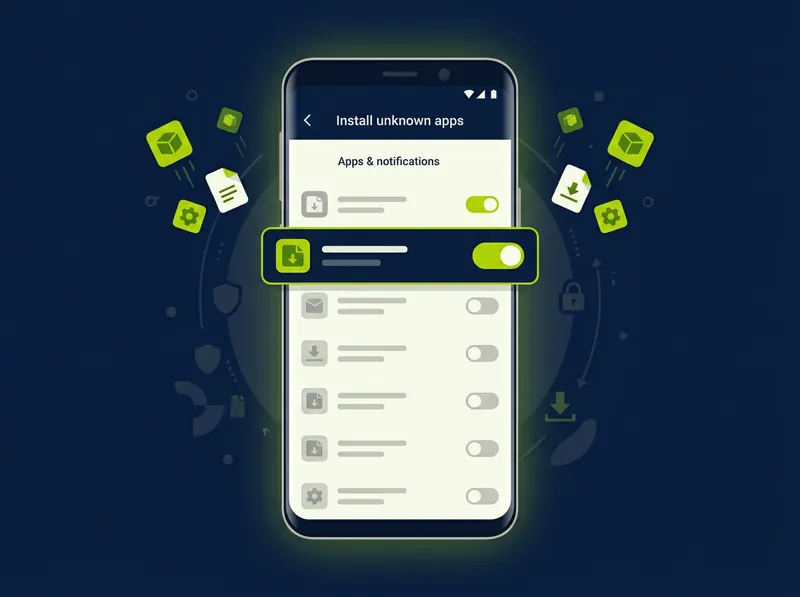
Most Indian users who got it working describe a very similar path. The key detail many forum posts repeat is that on newer Android phones the permission is no longer one global switch, it is granted per app (per browser or per file manager). Here is the flow people describe step by step.
- Open the source page in Chrome and let the APK file finish downloading completely before tapping it.
- Tap the downloaded file. Android shows a block message the first time, this is expected.
- On the block popup, tap Settings. It opens "Install unknown apps" for that specific browser.
- Turn on "Allow from this source" for Chrome (or for your file manager if you opened it there).
- Go back and tap Install again. The install screen now appears.
- After install, open the app once to confirm the login screen loads, then it is done.
Real Problems People Report (and Fixes)
These are the issues that come up again and again in user threads about sideloading an APK in India. If your install does not go smoothly, your situation is almost certainly one of these.
"App not installed" right at the end
This is the most common complaint. On Quora threads people describe tapping install, waiting, and getting a plain "App not installed" with no reason given.
What worked for them: Usually the download was incomplete or corrupted. People re-downloaded the file on a stable Wi-Fi connection instead of mobile data, deleted the half-downloaded copy first, and it installed on the second try.
"App not installed as package appears to be invalid"
A variation many report. It often appears when an older version is already on the phone, or the file did not download fully.
What worked for them: Uninstall any older version first, then install the new file. Some users also went to Settings > Apps > Reset App Preferences, which cleared a stuck state, and then the install completed.
"App isn't compatible with your phone"
Reported mostly on older or budget devices common in India. The phone is on an Android version below what the app needs, or the processor architecture does not match.
What worked for them: Check your Android version under Settings > About Phone. The app needs Android 7.0 or higher. On very old phones the realistic fix users found was simply using the iOS-style browser web version on a different device, since the APK would not run.
Play Protect warning blocks the install
Many Indian users get a "Blocked by Play Protect" or "unsafe app" popup because the file did not come from the Play Store. People are unsure whether to continue.
What worked for them: The popup usually has a small "Install anyway" or "More details" option. Users tap that to continue. The safest habit people recommend is making sure the file came from the official source described on the home page, and not from a random mirror.
The "Install unknown apps" switch is missing
On some Samsung and Xiaomi phones in India, users could not find a single global toggle and got confused.
What worked for them: On Android 8 and above the setting moved. The path people share is Settings > Apps > Special Access > Install unknown apps, then pick the browser and allow it. The block popup itself also takes you straight there.
Not enough storage
A simpler one that still trips people up, especially on 16GB and 32GB phones.
What worked for them: Free up a few hundred MB, since installation needs space beyond the file size itself. After clearing some photos or unused apps, the install finished.
When It Just Works
To be fair, plenty of users report no trouble at all. The common pattern in the smooth cases is the same: a full download over Wi-Fi, opening the file once the download bar is finished, allowing the one permission, and installing. People who had a clean experience almost always mention they did not interrupt the download and did not have an old version sitting on the phone.
Where to Get the File
This guide does not host any download. The current APK details, version, file size and the actual file are described on the home page. Once you understand the steps above, head back and choose the Android option there.
Go to the Home Page to Get the AppFor the full app overview, the APK details table and the iOS option, return to the home page. You can also read the iOS setup guide if you use an iPhone.